GIFT WITH PURCHASE: Buy Sport Open Earbuds and select a Bose × Cadence Water Bottle in cart. While supplies last. Shop
QuietComfort Headphones + QuietComfort Earbuds Set


Sets
QuietComfort Headphones + QuietComfort Earbuds Set
Featuring both over-ear and in-ear listening options with legendary noise cancelling and iconic audio, the selections in this set make the everyday epic. Up to 24 hours of battery power and plush earcups make QuietComfort Headphones ideal for marathon listening sessions while the compact, durable design of QuietComfort Earbuds is perfect for music lovers on the go. Whether you’re looking for the perfect gift or treating yourself to some well-deserved sound therapy, snag this set and save by bundling both!
Price is: $538.00
Set includes:

Bose QuietComfort Headphones
QuietComfort Headphones deliver legendary noise cancellation and high-fidelity audio in a classic, comfortable design with up to 24 hours of battery life to keep up with any lifestyle. Featuring customizable listening modes in addition to Quiet and Aware options, these iconic headphones also come equipped with an audio cable with in-line mic for situations without Bluetooth.

Bose QuietComfort Earbuds
The everyday, made epic. New Bose QuietComfort Earbuds offer iconic audio, renowned noise cancellation, and a relentless, long-lasting battery — all in a compact, durable package that’s powerful, not precious.
4 Interest-free installments with Klarna or Afterpay.
Learn more
QuietComfort Headphones + QuietComfort Earbuds Set
Price is: $538.00
Product details
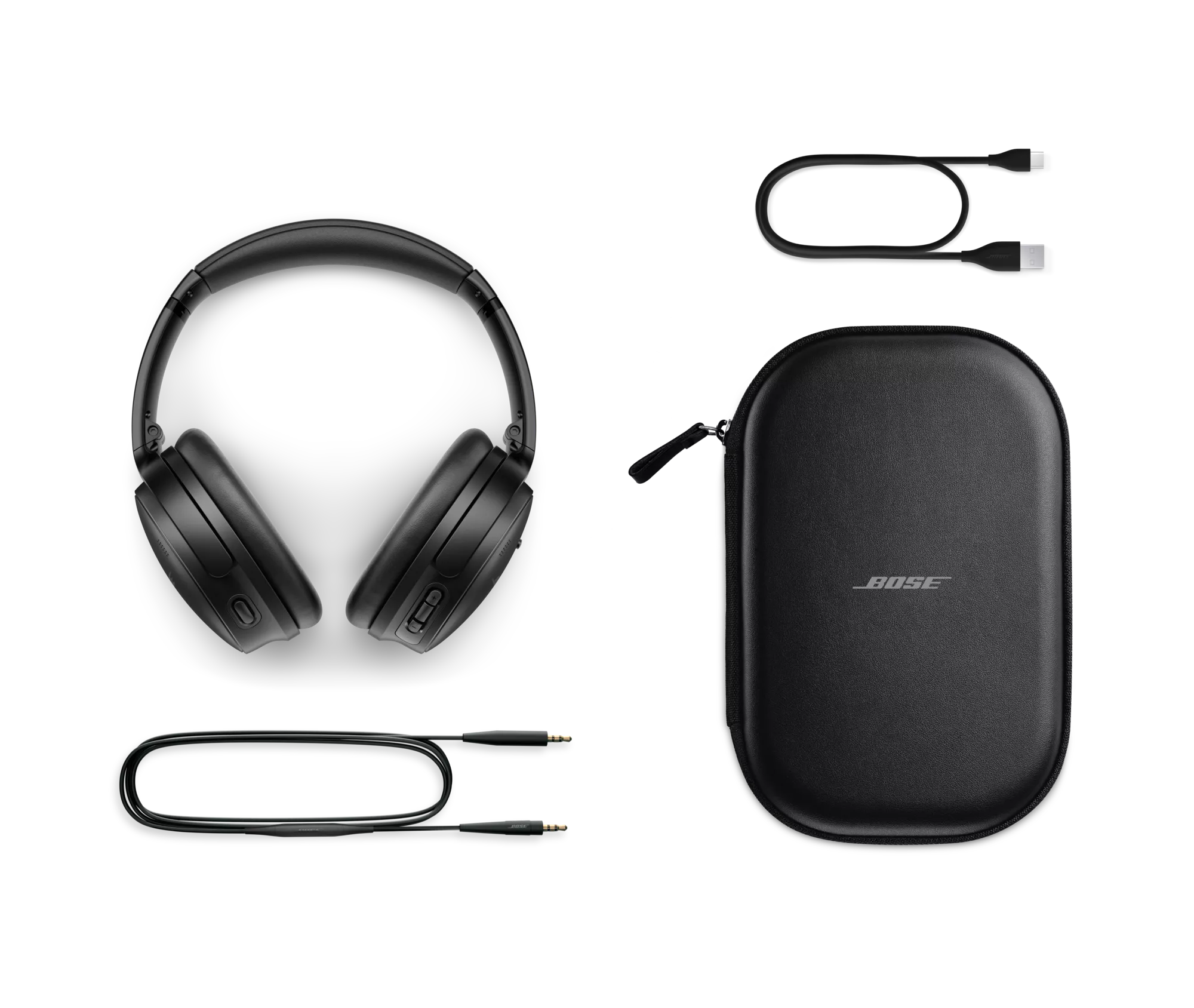
What’s in the box
- Bose QuietComfort Headphones
- Carry Case
- 3.5 mm to 2.5 mm audio cable
- USB-C® (A to C) cable (12")
- Safety Sheet
USB charger requirement
- The power delivered by the charger must be between the wattages (W) shown in order to achieve the maximum charging speed.
- Power adaptor not included.


| Headphone Fit | Around Ear Circumaural |
|---|---|
| Headband | On Head |
| Cushions | Removable Cushion |
| Microphones | Built-in Microphone |
| Noise Cancelling | Yes |
| Noise Control Type | Active Noise Cancelling |
| Audio cable included | No |
| Case | Carry, Storage |
| Headphone | 7.68" H x 6.18" W x 3.15" D (0.520 lb) |
| Product Material | Metal, Plastic, Leather (Protein) |
| Product Case Material | Leather (Hard) |
| Ear Cushion Material | Protein Leather |
| Rechargeable | Yes |
| Battery Life | 24 hours |
| Battery Charge Time | 2.5 hours |
| Charging Accessory included | Yes |
| Charging Interface(s) | USB |
| Wireless Connectivity | Bluetooth |
| Bose App | Bose App |
Bose QuietComfort Headphones are the successors to QuietComfort 45 Headphones. They deliver high-fidelity audio performance and world-class noise cancellation that allow you to hear more of your music and movies — while traveling, at the office, or at home.
QuietComfort Ultra Headphones offer our most premium design and our most advanced technologies, for the best Bose listening experience in a headphone. With QuietComfort Ultra Headphones, you will enjoy our best headphone noise cancellation, audio quality personalized with CustomTune, and voice pickup, among other premium features.
Proprietary TriPort acoustic headphone structure utilizes external ports to vent the earcups and effectively enlarge the acoustic volume, without increasing the size of the earcup. The result is better audio and active noise reduction from a smaller, lighter, more comfortable headphone.
Bose QuietComfort Headphones utilize both active and passive noise reduction technologies. They use a sophisticated proprietary electronics approach for active noise reduction, placing microphones both inside and outside the earcups. The electronics system senses the sound in almost any environment and then measures, compares, and reacts — instant by instant — to produce an opposing cancellation signal. Meanwhile, passive noise reduction is achieved by the combination of earcup fit, design, and clamping force of the headband.
Aware Mode turns on the external microphones of QuietComfort Headphones and feeds ambient sounds into the headphones, enabling awareness of the sounds in the environment, such as cars and emergency vehicles, while still enjoying audio content.
These headphones were designed to maximize all the features that contribute to comfort, especially when you’re using the headphones for extended periods of time. All materials have been selected for their comfort and lightweight properties. Protein leather is used for its comfort, durability, and acoustical properties. The earcups rotate easily for a uniform, comfortable seal. And most importantly, stability is achieved with minimal clamping force, allowing for hours of comfortable wear.
Yes. Bose QuietComfort Headphones have an adaptive microphone system that allows you to use the headphones during calls when connected to any smartphone. In addition to traditional calls, the headphones will work with many apps that use Voice over Internet Protocol (VoIP), such as Zoom or FaceTime. The microphone system adapts to your environment to isolate your voice from competing background noises and wind so that you can confidently take a call or speak to your voice assistant anywhere you go — knowing you will be heard clearly and naturally.
First, make sure your headphones are turned on with the slider switch in the middle “On” position. Next, slide and hold the switch to the Bluetooth icon until the Bluetooth LED flashes blue or when the voice prompt indicates the headphones have entered into pairing mode. Please note, if this is your first time connecting the headphones, they will automatically turn on into pairing mode. Voice prompts will provide you with additional guidance. We recommend using the Bose app to complete the pairing process, however, Bluetooth settings on your device can be used to complete pairing.
Yes. Multipoint technology allows Bose QuietComfort Headphones to maintain a connection to two devices at the same time — for example, an iPad and a smartphone. So while you’re watching video on the connected iPad, the headphones will automatically pause the video to answer a call from the connected smartphone. When the call is finished, the headphones switch back to the video on the iPad.
Bose QuietComfort Headphones have a range of up to 30 ft (9 meters) from the source device. This range may be reduced by physical obstructions, such as walls and doors, or by interference from other electronic devices. Pops or a cracking noise may be heard if there’s interference with the Bluetooth connection. If that happens, move away from wireless routers or microwaves and bring your headphones closer to the Bluetooth device.
The headphones can be charged using the USB-C cable supplied in the box and plugging into a USB port on a PC, laptop, or wall charger. Allow up to 2 hours for the headphones to fully charge. The battery light indicator will show an amber light while the headphones are charging and turn green when fully charged. When you don’t have time for a full charge, the fast-charge feature provides up to 4 hours of play time from a quick, 15-minute charge.
Bose QuietComfort Headphones use a lithium-ion rechargeable battery that provides up to 24 hours¹ of audio playback with noise cancelling turned on.
Yes. You can continue to listen to your source even if the battery power is depleted. Without power, the headphones operate in a passive mode and neither active noise cancellation nor Active EQ is able to function.
Bose QuietComfort Headphones also give you two options when it comes to audio EQ. Do nothing and the bass, midrange, and treble of whatever you’re listening to will be adjusted automatically to make it sound great. Or choose Equalizer in the settings of the Bose app to change the audio levels yourself to however you like them best. Either way, you’ll enjoy immersive sound at any volume.
The larger middle button on the right earcup is the Multi-function button. It initiates play/pause and other track controls for videos and music, answers and ends calls, and also provides access to your phone’s default virtual assistant, like Siri. The buttons on either side of the multi-function button are volume +/– buttons. They allow you to easily adjust volume in an intuitive up/down vertical orientation.
On the left earcup there is a single Action button. This toggles between Quiet Mode (noise cancelling), Aware Mode, and your Custom Modes. This is also a shortcut button; when you press and hold the button for approximately 2 seconds your shortcut, such as battery life status or Spotify Tap, will activate.
Using the Multi-function button on the back of the right earcup, QuietComfort Headphones give you access to your phone’s default virtual assistant, like Siri.
No. In general, the audio/video delay will be excessive and most noticeable in games where action and audio are supposed to be synchronized.
Spotify Tap allows Spotify users to access their music with a single tap on a designated control on their headphones. Press and hold the “Action” button on the left earcup to start your listening session and press down again for Spotify to offer up recommendations for other music you might like. You need a Spotify account and can configure the shortcut control to activate Spotify Tap using the Bose app.
Owner's guide
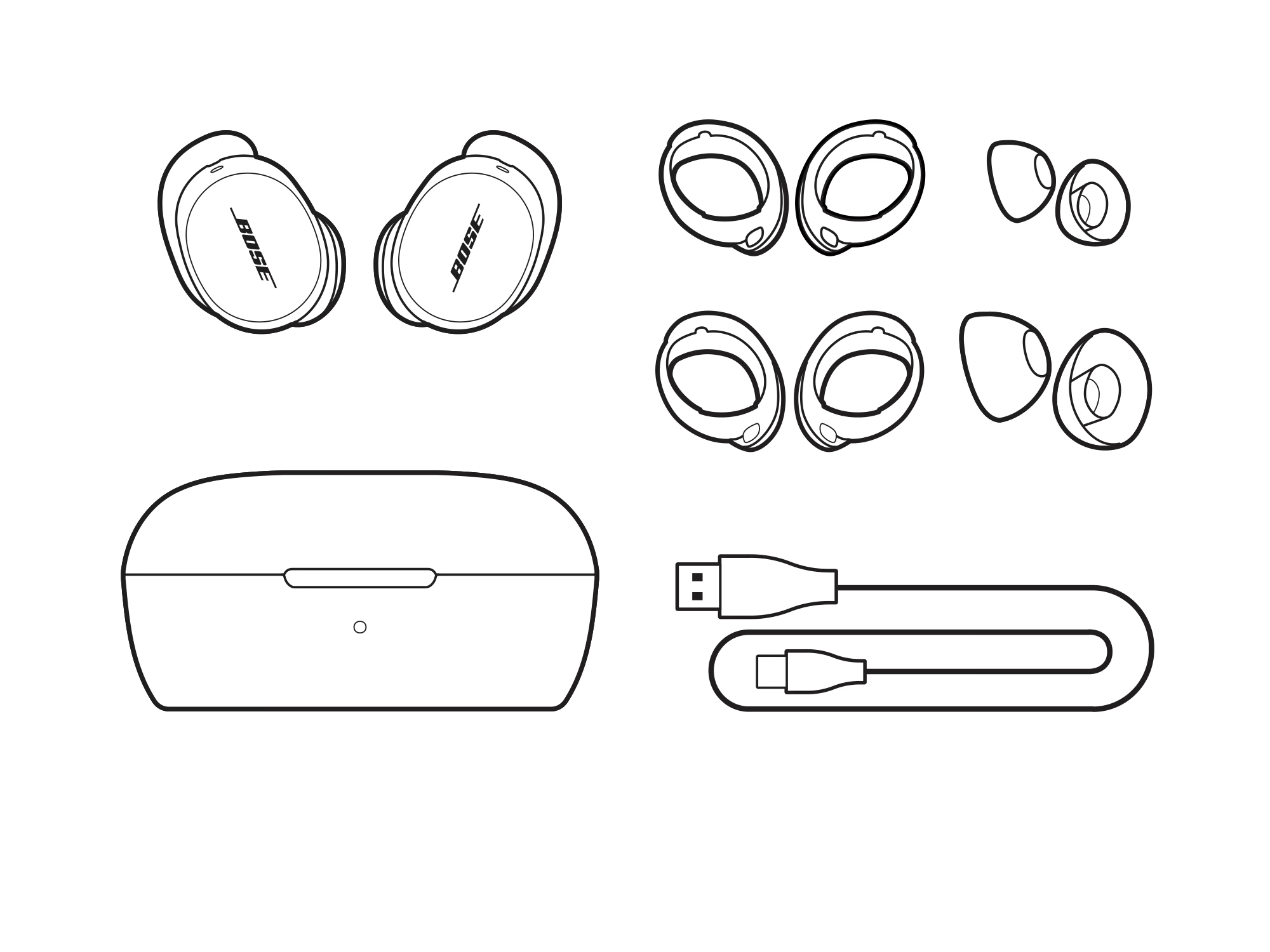
What’s in the box
- 2 Bose QuietComfort Earbuds
- Charging case
- USB-C cable (USB-A to USB-C, 12")
- Fit Kit (Small, Medium, and Large eartips & stability bands for each earbud)
- Safety sheet
USB charger requirement
- The power delivered by the charger must be between the wattages (W) shown in order to achieve the maximum charging speed.
- Power adaptor not included.

| Headphone Fit | In Ear |
|---|---|
| Microphones | Built-in Microphone |
| Noise Cancelling | Yes |
| Noise Control Type | Adjustable Noise Cancelling |
| Water Resistant | IPX4 |
| Bud Single | 1.14" H x 0.99" W x 0.83" D (0.024 lb) |
| Case | 1.38" H x 2.76" W x 1.9" D (0.104 lb) |
| Entire Product System | 1.38" H x 2.76" W x 1.90" D (0.152 lb) |
| Product Material | Plastic (PC-ABS), Silicone, Metal |
| Rechargeable | Yes |
| Battery Life | 8.5 hours |
| Battery Charge Time | 1.5 hours |
| Charging Accessory included | Yes |
| Charging Interface(s) | USB C PORT |
| Wireless Connectivity | A2DP Bluetooth Audio Streaming, HFP Bluetooth, AVRCP Bluetooth |
| Bose App | Bose QCE App |
QuietComfort Ultra Earbuds offer our most premium design and most advanced technologies for the best Bose listening experience in an earbud. With our QuietComfort Ultra Earbuds, you will enjoy our most personalized listening experience with CustomTune technology and our best earbud noise cancellation, audio quality, and voice pickup. In addition, you’ll have access to our highest quality features, including customizable listening modes, Spotify Tap, SimpleSync (for use with compatible Bose soundbars/speakers), Snapdragon Sound, and Google Fast Pair (for compatible Android devices).
Our QuietComfort Earbuds offer a great everyday listening experience with sound that is powerful, not precious, and feature excellent noise cancellation. In addition, with our QuietComfort Earbuds you get customizable shortcuts and voice command via the Bose QCE app.
The Bose QCE app has been designed to work with our Bose QuietComfort Earbuds. With this app you get the same standard features of the Bose app: EQ adjustment, adjustable ANC, Voice Assistant, Tap Control Customization, Custom Product Naming, Update Notifications; plus, additional features including: Listening & Call Battery Prediction, Remote Selfie, and Voice Command.
Smart calls refer to several features of the QuietComfort Earbuds:
- Voice Commands: Answer/reject phone calls through voice control.
- Side Tones: Hear yourself speak on calls or in-game chats with adjustable voice amplification. This can be turned on or off in the Smart Calls feature card of the Bose QCE app.
- Activate Announce Calls: This allows you to hear the caller’s name whenever you get a call. Directions to enable are in the Smart Calls feature card of the Bose QCE app.
- Touch Controls: Touch Controls for calls can be customized in the Smart Calls feature card of the Bose QCE app.
When enabled, Voice ID allows you to calibrate your headphones to your own unique voice to improve performance and accuracy of Voice Control. To set up Voice ID, select Start Calibration in the Voice Control feature card of the Bose QCE app. This will walk you through a quick process to set up Voice ID. After calibrating Voice ID you can choose to enable or disable Voice ID in the Bose QCE app.
Single tap, double tap, triple tap, and press and hold are all configurable buttons in the Bose QCE app. This can be done through the Touch Controls feature card or within specific product setting feature cards.
The Bose QuietComfort Earbuds have voice control available in the Bose QCE app. The app needs to be opened, but can be in the background, to use the voice control. Voice control can be used to:
Play and pause music
Skip forward
Skip back
Increase and decrease volume
Change noise control setting
Change spatial audio setting
Take a photo
Access native voice assistant
Answer and end phone calls
Yes, you can use either the left or right bud independently for listening or for phone calls. Controls on your bud will remain as when you are using both buds, and any shortcuts you have set will remain as you have set them. For optimal noise cancelling performance, both buds should be used together.
Yes. You can use a compatible third-party wireless charger (not provided) to charge the case.
When the earbuds are not in the case and the case is not plugged in, the LED color indicates the charging case battery status:
Solid green (5 seconds): high charge (81 – 100%)
Solid amber (5 seconds): medium charge (30 – 80%)
Solid red (5 seconds): low charge (1 – 29%)
When the earbuds are in the case, but the case is not plugged in, the LED color indicates the earbuds battery status:
Solid green (5 seconds): fully charged
Slowly pulses amber (5 seconds): charging
Yes. Bose QuietComfort Earbuds have an adaptive microphone system that allows you to use them during calls when connected to any smartphone. In addition to traditional calls, the earbuds work with many apps that use Voice over Internet Protocol (VoIP), such as Teams, Zoom, or FaceTime. The microphone system adapts to your environment to isolate your voice from competing background noises and wind. In addition, self-voice (adjustable in the Bose QCE app settings) allows you to hear yourself naturally, as if you weren’t wearing earbuds at all, so you can monitor the volume of your voice and minimize the effects of speaking while wearing earbuds.
The eartips on the QuietComfort Earbuds and QuietComfort Ultra Earbuds are interchangeable, but the stability bands are not due to differences in the mechanical design.
You can use your QuietComfort Earbuds to take a selfie once configured via the Bose QCE app. In the Remote Selfie feature card in the Bose QCE app you can choose to take a photo while wearing your earbuds through voice control and/or by updating one of the gestures. If using voice commands, open your camera app and say “Hey Headphones, Take Photo” and your phone will snap a photo. If using a customized touch control, do this gesture while the camera app is open to take the photo.
Instructions can also be found in the Bose QCE app when you select the Remote Selfie feature card.
The Bose QuietComfort Earbuds can be connected to a Bose soundbar or speaker as a SimpleSync device; however, they have not been fully optimized for a seamless audio and video Bluetooth connection.
No
Google Fast Pair is a feature that lets you bypass your Bluetooth settings so you can easily and quickly pair your device with your earbuds. It detects your device when it's nearby and automatically prompts you to pair your earbuds.
Owner's guide
Why buy from Bose
-
30-day return policy
Try it for 30 days to make sure it’s right for you.
-
Price match promise
Shop confidently. We’ll match a lower price.
-
Complimentary shipping & returns
On all in-stock orders of $49 or more.
-
My Bose perks
My Bose members receive welcome and birthday offers, exclusive experiences, and more.
QuietComfort Headphones features
-
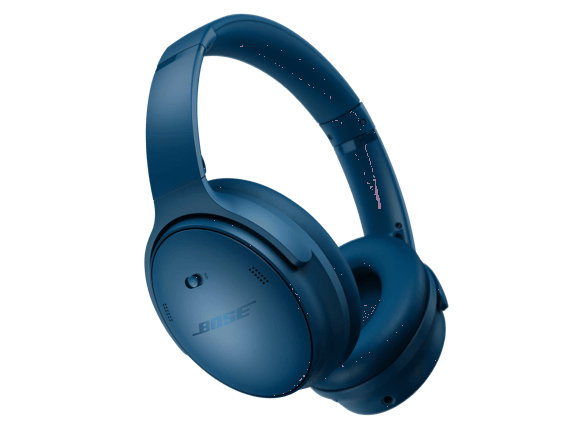
Legendary noise cancellationSeal yourself in with high-fidelity audio, eliminate distractions, and dive deep into your music.
-
Modes for any musical momentShut out the world with Quiet Mode, enjoy full transparency with Aware Mode, or blend the two with a Custom Mode in the Bose app.
-
Up to 24 hours of battery lifeEnjoy marathon playlists and listening sessions with up to 24 hours of battery life.¹
-
Luxurious comfortPlush cushions softly hug your ears, while a comfortable yet secure band works to keep the headphones in place when you’re on the go.
-
Customize your soundAdjustable EQ allows you to crank the bass, tweak the treble, and balance the mid-range to get the sound that best suits you.
QuietComfort Earbuds features
-
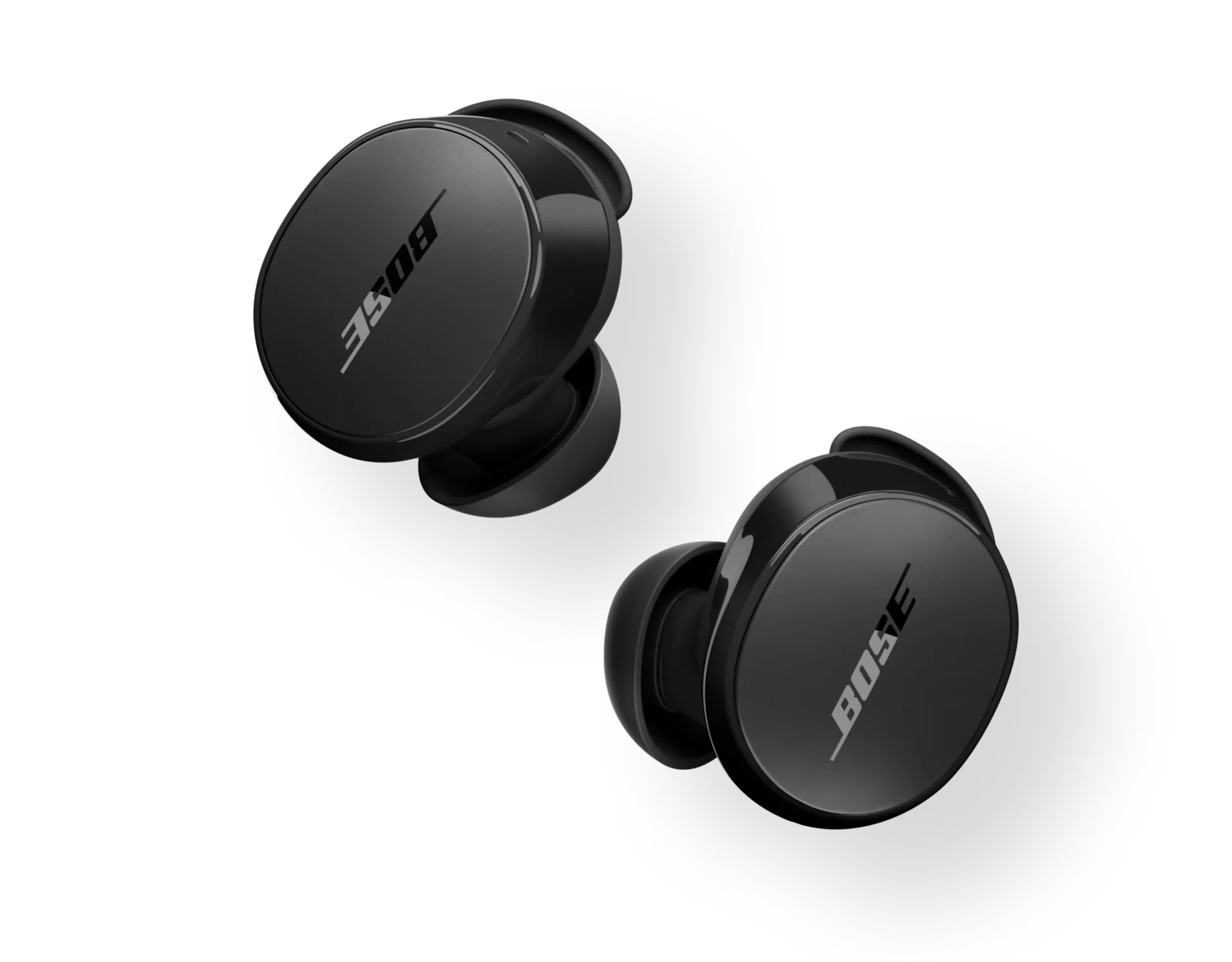
Powerful, proven audioRemarkable sound quality means what you hear hits all the right notes.
-
Defy distractionsRenowned noise cancellation consistently and effectively blocks out your surroundings.
-
Water and world resistantAn IPX4 rating for water resistance means splashes, drips, and sprays won’t hold you back.
-
A fit that won’t quitA trio of eartip and stability band sizes ensures your earbuds feel comfortable, snug, and secure.
-
Switch devices, uninterruptedBluetooth multipoint lets you switch between your phone, laptop, and other devices — all without missing a moment.
Bose QuietComfort Headphones
¹ Testing conducted by Bose with active noise cancelling on and audio playback at a loudness of 75dBSPL. Battery life varies based on settings and usage.
² Quick charge testing conducted by Bose by charging battery-depleted headphones for 15 minutes, then resuming audio playback at a loudness of 75dBSPL. Battery life varies based on settings and usage. Time to achieve fully charged headphones was determined by charging battery-depleted headphones to 100%.
Bose QuietComfort Earbuds
¹ Testing conducted by Bose in June 2024 using production-representative Bose QuietComfort Earbuds and IEC60268-1 pink noise using A2DP Bluetooth audio. Volume set to playback loudness of 75dBSPL, 3-band EQ set to zero, in Quiet Mode (full noise cancellation). Playback time was up to 9 hours before battery depletion. Battery life varies based on settings and usage.
² Testing conducted by Bose in June 2024 by inserting production-representative Bose QuietComfort Earbuds with battery depleted (to the point of no audio playback) into a fully charged Bose QuietComfort Earbuds charging chase and charging earbuds to 100%, then resuming audio playback until battery depletion. Testing resulted in 2.5 complete charging cycles by the case before a full charge was no longer possible.
³ Testing conducted by Bose in June 2023 using production-representative Bose QuietComfort Ultra Earbuds and a variety of music tracks using A2DP Bluetooth audio streaming at RSSI signal strength of 75dBm. Volume set to playback loudness of 75dB, 3-band EQ set, to zero in Quiet Mode (full noise cancellation). With Immersive Audio off, playback time was up to 6 hours before battery depletion. With Immersive Audio on, playback time was up to 4 hours before battery depletion. Battery life varies based on settings and usage
Product Added to cart Extended warranty modal
Protect your Bose with an extended warranty plan
