GIFT WITH PURCHASE: Buy Sport Open Earbuds and select a Bose × Cadence Water Bottle in cart. While supplies last. Shop
Bose TV Speaker + QuietComfort Headphones Set


Sets
Bose TV Speaker + QuietComfort Headphones Set
Our legendary noise cancelling headphones meet our one-step solution for better TV sound in this bundle packed with all the features you need for an amazing listening and watching experience. The Bose TV Speaker provides natural-sounding audio and improved vocal clarity with Dialogue Mode while our QuietComfort Headphones come equipped with customizable listening modes, plus up to 24 hours of battery life to keep up with marathon playlists. They're the perfect gifts for movie and music lovers — or yourself!
Price is: $638.00
Set includes:

Bose TV Speaker
Hear clearer with the Bose TV Speaker — a one-step, simple solution for better TV sound. It’s small but powerful, delivering a balanced, natural-sounding audio experience that enhances dialogue and bass performance.

Bose QuietComfort Headphones
QuietComfort Headphones deliver legendary noise cancellation and high-fidelity audio in a classic, comfortable design with up to 24 hours of battery life to keep up with any lifestyle. Featuring customizable listening modes in addition to Quiet and Aware options, these iconic headphones also come equipped with an audio cable with in-line mic for situations without Bluetooth.
4 Interest-free installments with Klarna or Afterpay.
Learn more
Bose TV Speaker + QuietComfort Headphones Set
Price is: $638.00
Product details
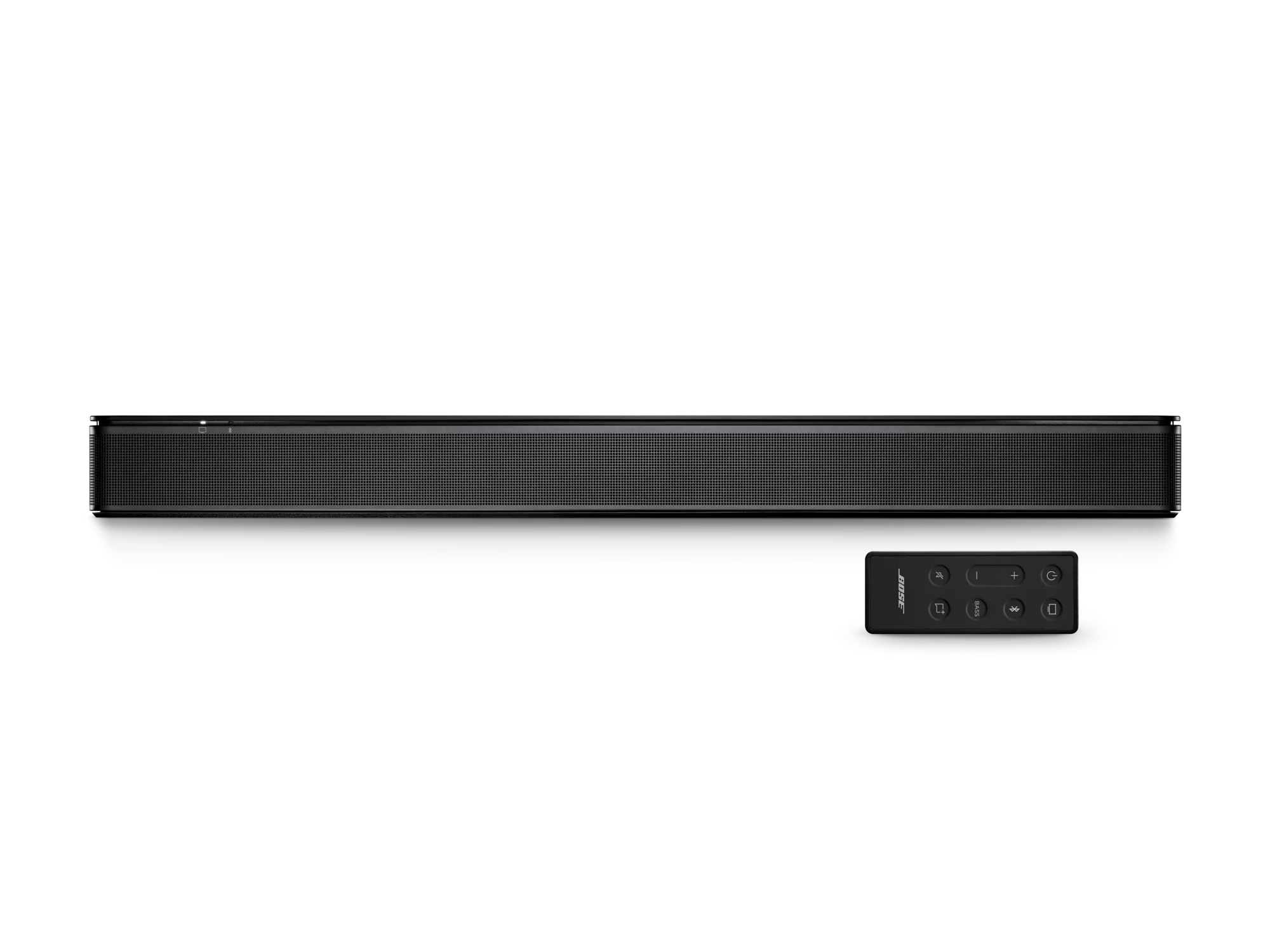
What’s in the box
- Bose TV Speaker
- Remote control with battery pre-installed
- Optical cable
- Power cord
- Quick Start Guide
| Entire Product System | 2.21" H x 23.38" W x 4.02" D (4.34 lb) |
|---|---|
| Remote Control | 4.1" H x 1.6" W x 0.5" D (0.07 lb) |
| Product Material | Metal, Plastic |
| Wireless Connectivity | Bluetooth |
| Bluetooth Version | 4.2 |
| Bluetooth Range | Up to 30 ft (9 m) |
The Bose TV Speaker improves upon the best-selling Solo 5 system. It is notably louder, has clearer dialogue, and overall improved acoustic performance. It also adds HDMI-CEC connectivity to be compatible with today’s A/V equipment and your current TV remote. Lastly, the Bose TV Speaker has a sleeker, lower-profile design, preventing it from blocking the bottom edge of the TV.
Yes. The Bose TV Speaker improves upon the Dialogue mode of the Solo 5 System, so now your dialogue is even clearer for TV and/or podcasts. Dialogue mode offers enhanced speech and pronunciation. It analyzes what you’re watching, separates the vocals from other audio elements and amplifies them. Additionally, the Bose TV Speaker allows Dialogue mode to be set as “persistent,” so you no longer have to enable it every time you turn on the product.
Yes. The Bose TV Speaker can be wall mounted with the Bose Soundbar Wall Bracket (sold separately). This is the same current bracket that is used for the Bose Soundbar 500 and 700.
The Bose TV Speaker is designed for use with almost any TV with an optical audio output (optical cable included) or HDMI-ARC connectivity (HDMI cord sold separately). Most HDTVs are also HDMI-CEC enabled, meaning if you have such a TV and connect your Bose TV Speaker with an HDMI cable, you can continue using the same remote control you are currently using.
Yes. You can enjoy your music and podcasts streamed wirelessly from a Bluetooth-enabled portable device that supports streaming.
Yes. The Bose TV Speaker can play music in synchronized 1-1 connection with any Bose smart speaker or soundbar using Bose SimpleSync technology. This functionality is being controlled by the smart speaker or soundbar in the Bose Music app. Note, you cannot connect a pair of headphones to the Bose TV Speaker for synchronized audio/video grouping.
Compatible products: Bose Home Speaker 500, Home Speaker 300, Bose Portable Home Speaker, Bose Smart Soundbar 900, Bose Smart Soundbar 700, Bose Smart Soundbar 600, Bose Soundbar 500, or Bose Smart Soundbar 300.
No. If you want to listen to your TV with headphones, you should use the TV’s headphone output. Many TVs have a headphone output.
No.
If your TV is HDMI-CEC enabled, you can connect the Bose TV Speaker to your TV using an HDMI cable (sold separately) and continue to use the remote control you are already familiar with to control your TV. HDMI-CEC will allow the Bose TV Speaker to automatically turn on when you turn on your TV and your existing remote control will control the Bose TV Speaker volume.
If you connect the Bose TV Speaker to your TV using the supplied optical cable, you can use the included remote. Or you can program a third-party universal remote to control (please refer to your universal remote control for programming instructions and the appropriate Bose IR codes). Also, the soundbar can be programmed to “learn” the volume and mute commands from your existing remote. See Using another remote to control your Bose system in the Bose Support section for instructions.
However, for music streaming, you need the included remote to place your Bose TV Speaker in Bluetooth mode and connect your Bluetooth-enabled device for the first time. Once connected, you do not need the remote moving forward. You can go to your Bluetooth settings and “force connect” from previously paired devices.
You can simply “force connect” your previously paired device to the Bose TV Speaker by going to your device’s Bluetooth settings menu and selecting the Bose TV Speaker. This will automatically switch to the Bluetooth source. It will also turn on the Bose TV Speaker if the speaker is off and put it into the Bluetooth source.
The Bose TV Speaker is Roku TV Ready™ certified. That means the TV Speaker is designed and certified to work seamlessly with a Roku TV™. When you connect your TV Speaker to a Roku TV™ through the HDMI ARC port, you’ll enjoy smooth, automatic setup, easy access to the TV Speaker sound settings in the Roku TV™ on-screen menu, and compatibility with the Roku TV™ remote.
The Bose TV Speaker may require a software update to support Roku TV Ready™. Roku TV Ready™ is not available in all regions. For more information, visit: go.roku.com/rokutvready.
Roku TV,™ Roku TV Ready™ and the Roku TV Ready™ logo are trademarks of Roku, Inc.
Yes. There is a bass level adjustment located on the remote control.
Yes. You can connect the optional Bose Bass Module 500 or Bose Bass Module 700 to the Bose TV Speaker via a wired connection. This requires the Bose Bass Module Connection Cable or a standard 3.5 mm cable (sold separately).
No.
No.
Any device with an HDMI-ARC, optical, or analog audio output can be connected to the Bose TV Speaker. However, we strongly recommend that customers only connect the TV Speaker to the TV’s output, so sound and picture will always be in sync.
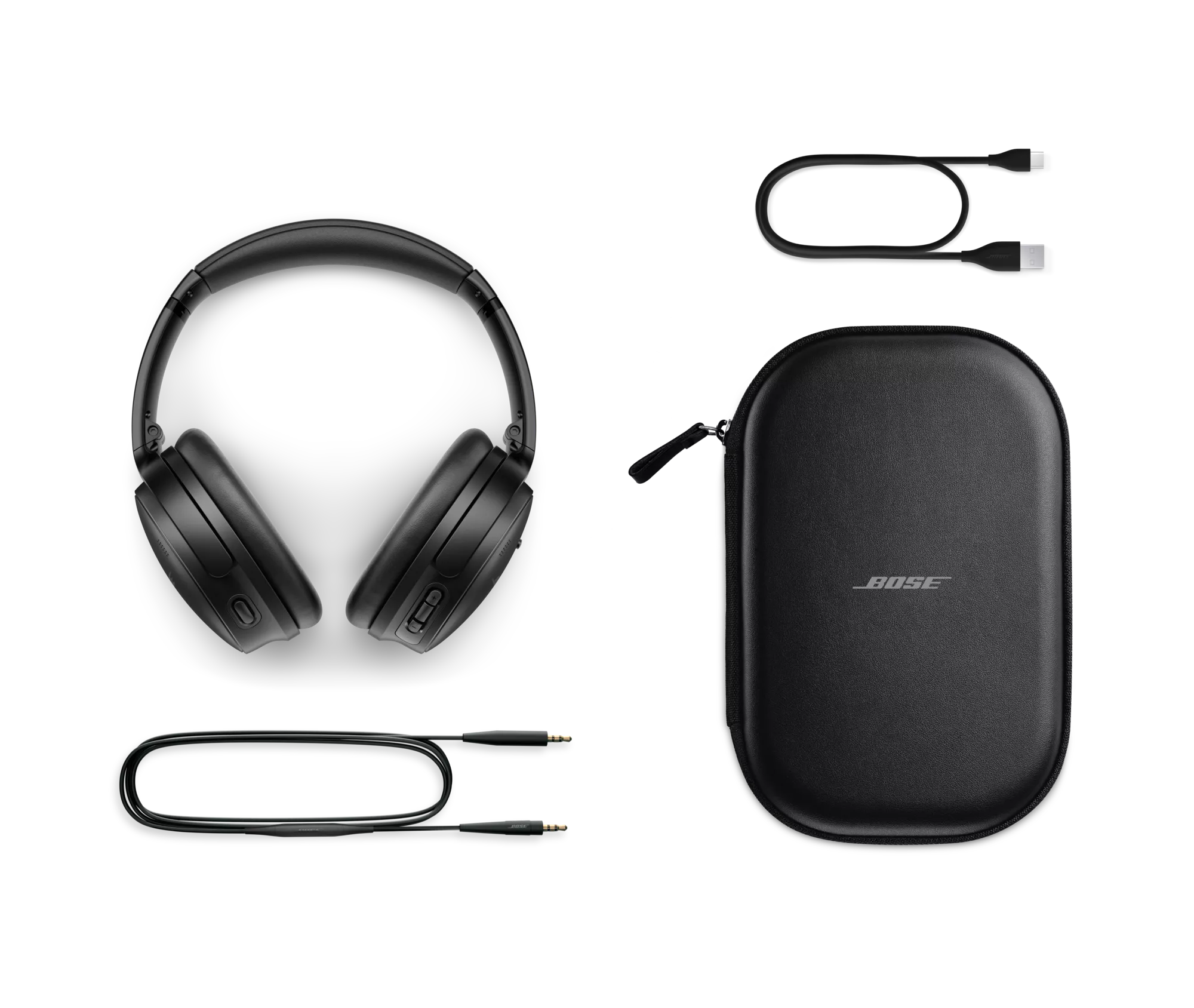
What’s in the box
- Bose QuietComfort Headphones
- Carry Case
- 3.5 mm to 2.5 mm audio cable
- USB-C® (A to C) cable (12")
- Safety Sheet
USB charger requirement
- The power delivered by the charger must be between the wattages (W) shown in order to achieve the maximum charging speed.
- Power adaptor not included.


| Headphone Fit | Around Ear Circumaural |
|---|---|
| Headband | On Head |
| Cushions | Removable Cushion |
| Microphones | Built-in Microphone |
| Noise Cancelling | Yes |
| Noise Control Type | Active Noise Cancelling |
| Audio cable included | No |
| Case | Carry, Storage |
| Headphone | 7.68" H x 6.18" W x 3.15" D (0.520 lb) |
| Product Material | Metal, Plastic, Leather (Protein) |
| Product Case Material | Leather (Hard) |
| Ear Cushion Material | Protein Leather |
| Rechargeable | Yes |
| Battery Life | 24 hours |
| Battery Charge Time | 2.5 hours |
| Charging Accessory included | Yes |
| Charging Interface(s) | USB |
| Wireless Connectivity | Bluetooth |
| Bose App | Bose App |
Bose QuietComfort Headphones are the successors to QuietComfort 45 Headphones. They deliver high-fidelity audio performance and world-class noise cancellation that allow you to hear more of your music and movies — while traveling, at the office, or at home.
QuietComfort Ultra Headphones offer our most premium design and our most advanced technologies, for the best Bose listening experience in a headphone. With QuietComfort Ultra Headphones, you will enjoy our best headphone noise cancellation, audio quality personalized with CustomTune, and voice pickup, among other premium features.
Proprietary TriPort acoustic headphone structure utilizes external ports to vent the earcups and effectively enlarge the acoustic volume, without increasing the size of the earcup. The result is better audio and active noise reduction from a smaller, lighter, more comfortable headphone.
Bose QuietComfort Headphones utilize both active and passive noise reduction technologies. They use a sophisticated proprietary electronics approach for active noise reduction, placing microphones both inside and outside the earcups. The electronics system senses the sound in almost any environment and then measures, compares, and reacts — instant by instant — to produce an opposing cancellation signal. Meanwhile, passive noise reduction is achieved by the combination of earcup fit, design, and clamping force of the headband.
Aware Mode turns on the external microphones of QuietComfort Headphones and feeds ambient sounds into the headphones, enabling awareness of the sounds in the environment, such as cars and emergency vehicles, while still enjoying audio content.
These headphones were designed to maximize all the features that contribute to comfort, especially when you’re using the headphones for extended periods of time. All materials have been selected for their comfort and lightweight properties. Protein leather is used for its comfort, durability, and acoustical properties. The earcups rotate easily for a uniform, comfortable seal. And most importantly, stability is achieved with minimal clamping force, allowing for hours of comfortable wear.
Yes. Bose QuietComfort Headphones have an adaptive microphone system that allows you to use the headphones during calls when connected to any smartphone. In addition to traditional calls, the headphones will work with many apps that use Voice over Internet Protocol (VoIP), such as Zoom or FaceTime. The microphone system adapts to your environment to isolate your voice from competing background noises and wind so that you can confidently take a call or speak to your voice assistant anywhere you go — knowing you will be heard clearly and naturally.
First, make sure your headphones are turned on with the slider switch in the middle “On” position. Next, slide and hold the switch to the Bluetooth icon until the Bluetooth LED flashes blue or when the voice prompt indicates the headphones have entered into pairing mode. Please note, if this is your first time connecting the headphones, they will automatically turn on into pairing mode. Voice prompts will provide you with additional guidance. We recommend using the Bose app to complete the pairing process, however, Bluetooth settings on your device can be used to complete pairing.
Yes. Multipoint technology allows Bose QuietComfort Headphones to maintain a connection to two devices at the same time — for example, an iPad and a smartphone. So while you’re watching video on the connected iPad, the headphones will automatically pause the video to answer a call from the connected smartphone. When the call is finished, the headphones switch back to the video on the iPad.
Bose QuietComfort Headphones have a range of up to 30 ft (9 meters) from the source device. This range may be reduced by physical obstructions, such as walls and doors, or by interference from other electronic devices. Pops or a cracking noise may be heard if there’s interference with the Bluetooth connection. If that happens, move away from wireless routers or microwaves and bring your headphones closer to the Bluetooth device.
The headphones can be charged using the USB-C cable supplied in the box and plugging into a USB port on a PC, laptop, or wall charger. Allow up to 2 hours for the headphones to fully charge. The battery light indicator will show an amber light while the headphones are charging and turn green when fully charged. When you don’t have time for a full charge, the fast-charge feature provides up to 4 hours of play time from a quick, 15-minute charge.
Bose QuietComfort Headphones use a lithium-ion rechargeable battery that provides up to 24 hours¹ of audio playback with noise cancelling turned on.
Yes. You can continue to listen to your source even if the battery power is depleted. Without power, the headphones operate in a passive mode and neither active noise cancellation nor Active EQ is able to function.
Bose QuietComfort Headphones also give you two options when it comes to audio EQ. Do nothing and the bass, midrange, and treble of whatever you’re listening to will be adjusted automatically to make it sound great. Or choose Equalizer in the settings of the Bose app to change the audio levels yourself to however you like them best. Either way, you’ll enjoy immersive sound at any volume.
The larger middle button on the right earcup is the Multi-function button. It initiates play/pause and other track controls for videos and music, answers and ends calls, and also provides access to your phone’s default virtual assistant, like Siri. The buttons on either side of the multi-function button are volume +/– buttons. They allow you to easily adjust volume in an intuitive up/down vertical orientation.
On the left earcup there is a single Action button. This toggles between Quiet Mode (noise cancelling), Aware Mode, and your Custom Modes. This is also a shortcut button; when you press and hold the button for approximately 2 seconds your shortcut, such as battery life status or Spotify Tap, will activate.
Using the Multi-function button on the back of the right earcup, QuietComfort Headphones give you access to your phone’s default virtual assistant, like Siri.
No. In general, the audio/video delay will be excessive and most noticeable in games where action and audio are supposed to be synchronized.
Spotify Tap allows Spotify users to access their music with a single tap on a designated control on their headphones. Press and hold the “Action” button on the left earcup to start your listening session and press down again for Spotify to offer up recommendations for other music you might like. You need a Spotify account and can configure the shortcut control to activate Spotify Tap using the Bose app.
Owner's guide
Why buy from Bose
-
30-day return policy
Try it for 30 days to make sure it’s right for you.
-
Price match promise
Shop confidently. We’ll match a lower price.
-
Complimentary shipping & returns
On all in-stock orders of $49 or more.
-
My Bose perks
My Bose members receive welcome and birthday offers, exclusive experiences, and more.
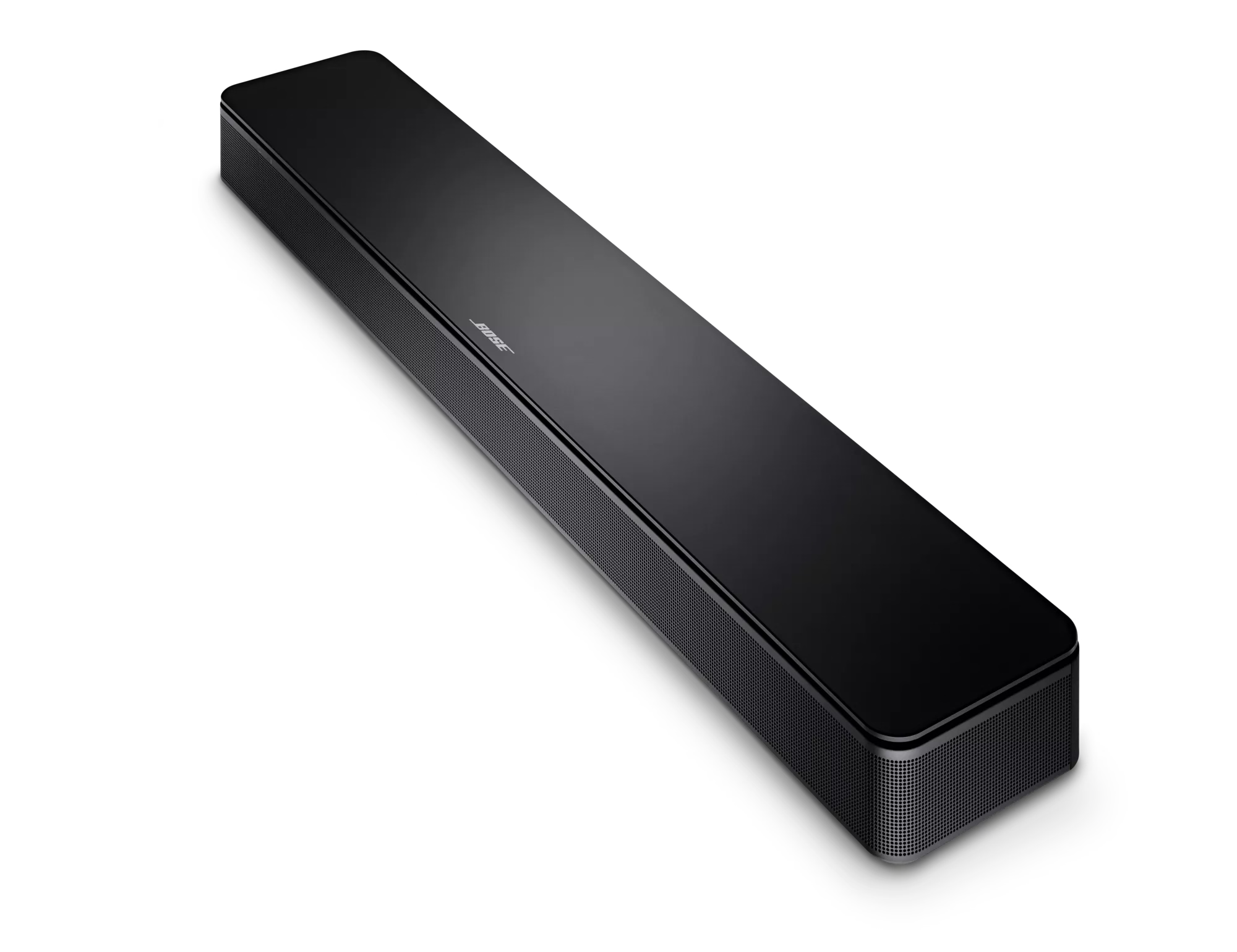
Bose TV Speaker features
-
Stay connected with BluetoothListen to what you want, when you want. Seamlessly pair devices for wireless play.
-
Bigger bass to boost out loudIt delivers surprisingly deep, rich sound for its small size — and you can boost it more with the Bass button.
-
Hear every word with crystal-clear speechIn Dialogue mode, the TV Speaker elevates vocals so you can hear every word more clearly.
-
No sweat to set upDesigned with simplicity in mind, with a single connection via an optical audio cable (included).
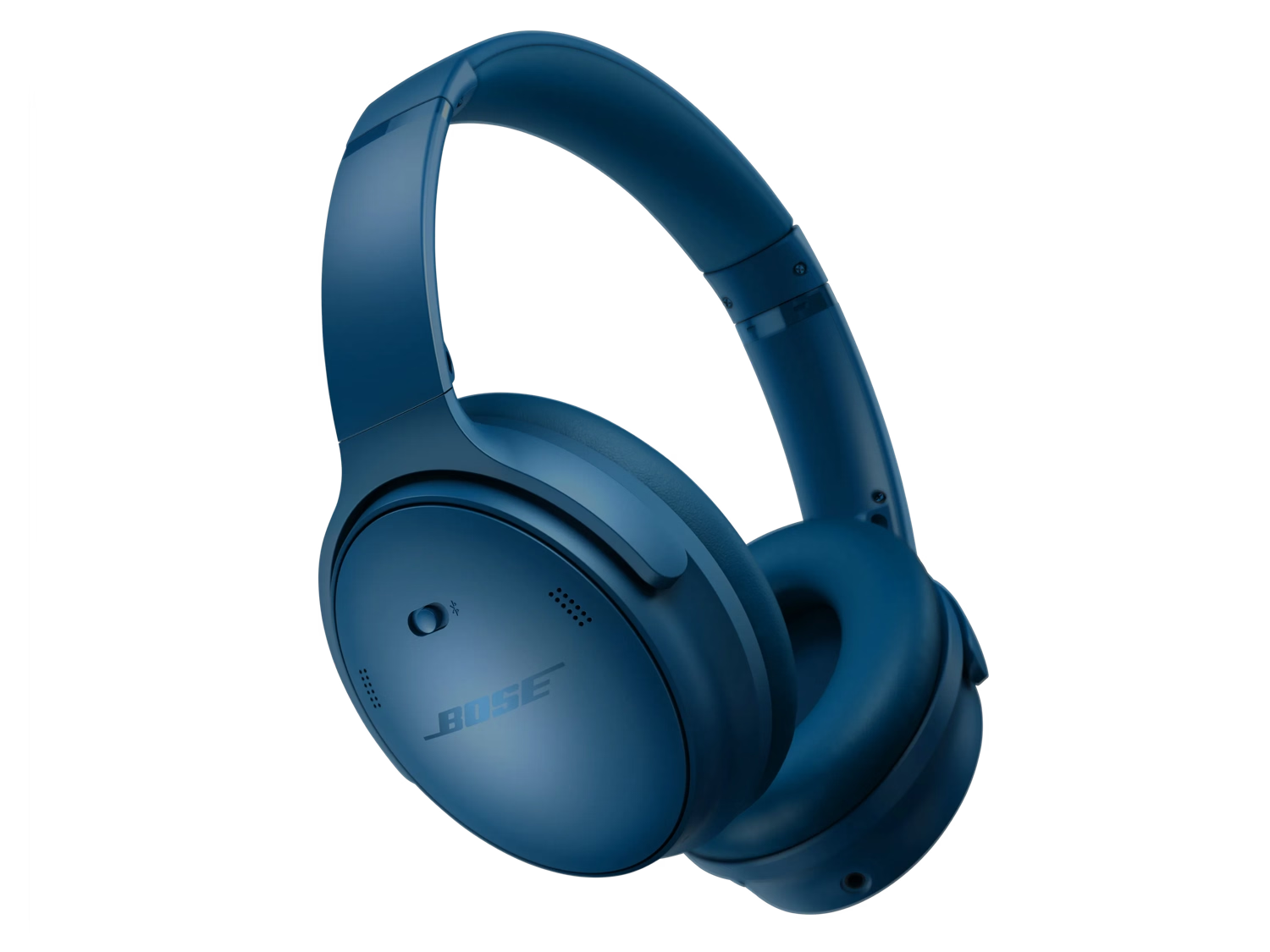
QuietComfort Headphones features
-
Legendary noise cancellationSeal yourself in with high-fidelity audio, eliminate distractions, and dive deep into your music.
-
Modes for any musical momentShut out the world with Quiet Mode, enjoy full transparency with Aware Mode, or blend the two with a Custom Mode in the Bose app.
-
Up to 24 hours of battery lifeEnjoy marathon playlists and listening sessions with up to 24 hours of battery life.¹
-
Luxurious comfortPlush cushions softly hug your ears, while a comfortable yet secure band works to keep the headphones in place when you’re on the go.
-
Customize your soundAdjustable EQ allows you to crank the bass, tweak the treble, and balance the mid-range to get the sound that best suits you.
Bose QuietComfort Headphones
1 Testing conducted by Bose with active noise cancelling on and audio playback at a loudness of 75dBSPL. Battery life varies based on settings and usage.
2 Quick charge testing conducted by Bose by charging battery-depleted headphones for 15 minutes, then resuming audio playback at a loudness of 75dBSPL. Battery life varies based on settings and usage. Time to achieve fully charged headphones was determined by charging battery-depleted headphones to 100%.
Product Added to cart Extended warranty modal
Protect your Bose with an extended warranty plan
